Workflow Studio How-To
Workflow Studio is the main ValkyrAI control surface for designing and operating workflows. It is available inside the authenticated dashboard and is also driven by Valor commands.
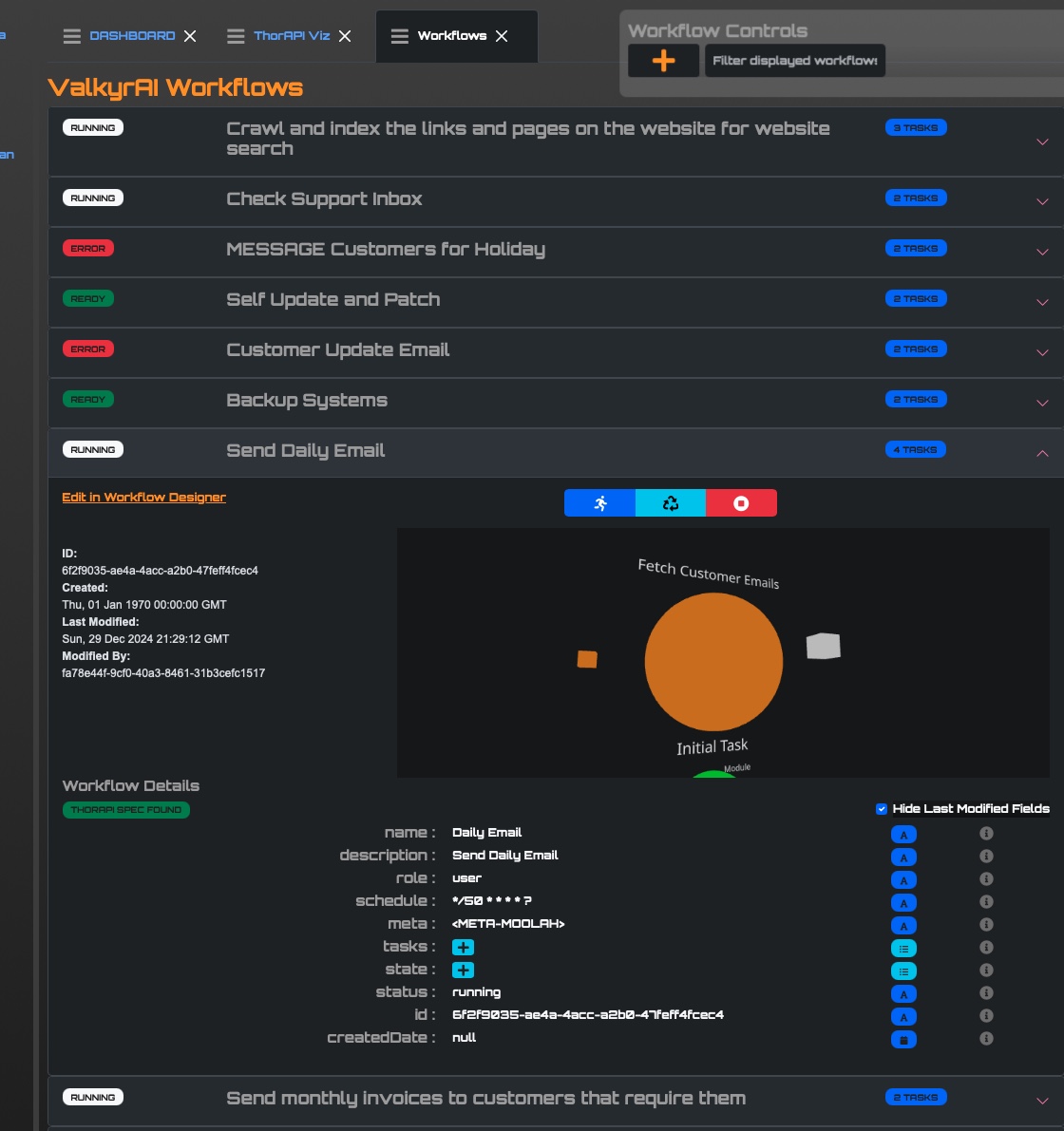
What Studio Creates
Create a Workflow
- Open the dashboard and launch Workflow Studio.
- Create a workflow or choose an existing one from the workflow hub.
- Add a task node for each business step.
- Attach one or more ExecModules to each task.
- Configure module input/output mappings, retry behavior, and observability.
- Bind IntegrationAccounts for external systems such as Slack, Stripe, email, Zoom, social platforms, or API keys.
- Select LLMDetails when a module needs model-backed reasoning or generation.
- Save and validate the graph.
- Run the workflow and inspect logs, module state, and WebSocket updates.
- Publish to MCP when the workflow should become an agent-callable tool.
Valor-Assisted Creation
Valor can create workflows by chat when the prompt is specific enough. SageChat/Valor uses workflow context that includes the available ExecModules, model schemas, IntegrationAccount payload rules, and command protocol.
Example intent:
Create a weekly content workflow: pull draft posts from the CMS, optimize titles with the public marketing LLM, schedule LinkedIn and Threads posts, and send a completion email to the content owner.
Valor should translate that into:
- a workflow record
- task nodes
- ExecModule chain entries
- IntegrationAccount references
- optional LLMDetails references
- validation feedback before execution
IntegrationAccounts and LLMDetails
IntegrationAccounts hold external-system credentials and account metadata. LLMDetails holds provider/model configuration for OpenAI, Claude, Ollama/open source models, and routing gateways.
For security, public/shared LLMDetails can be referenced without exposing decrypted keys to normal users. Decryption belongs to the server/system execution path, not the browser. Studio should display enough metadata to choose the right model without leaking secret material.
Publish to MCP
MCP publishing turns a workflow into a callable tool for ValorIDE, Valor, CODEX/OpenClaw, Claude agents, or third-party clients. The workflow remains governed by RBAC, IntegrationAccount permissions, and audit controls.
Code Anchors
- Studio UI:
web/typescript/valkyr_labs_com/src/components/WorkflowStudio - Studio services:
web/typescript/valkyr_labs_com/src/services/WorkflowStudioService.ts - Graph save service:
web/typescript/valkyr_labs_com/src/services/WorkflowGraphSaveService.ts - Valor workflow context:
web/typescript/valkyr_labs_com/src/services/llmWorkflowContext.ts - Module metadata:
web/typescript/valkyr_labs_com/src/services/moduleMetadataService.ts